
Who signed off the final poster?
Hannah Reid approved it in the Client sign-off step:
“Approved for print. Thank you, team!”
ProofNow keeps a running history of every proof: who looked, what they said, which version they approved and when. So when someone asks “who signed this off?”, you have the answer in one click.
Weeks later, someone always asks how a decision was made. The audit log answers with names, times and the exact words people used.
Hannah Reid approved it in the Client sign-off step:
“Approved for print. Thank you, team!”
Tom sent Hannah a reminder, with a note:
“The printer needs the file by Thursday. Could you take a look today?”
Hannah changed her comment. The log keeps both:
Looks great. Please print 50 for the cafés.
“Looks great. Please print 60, we have two new cafés opening in June.”
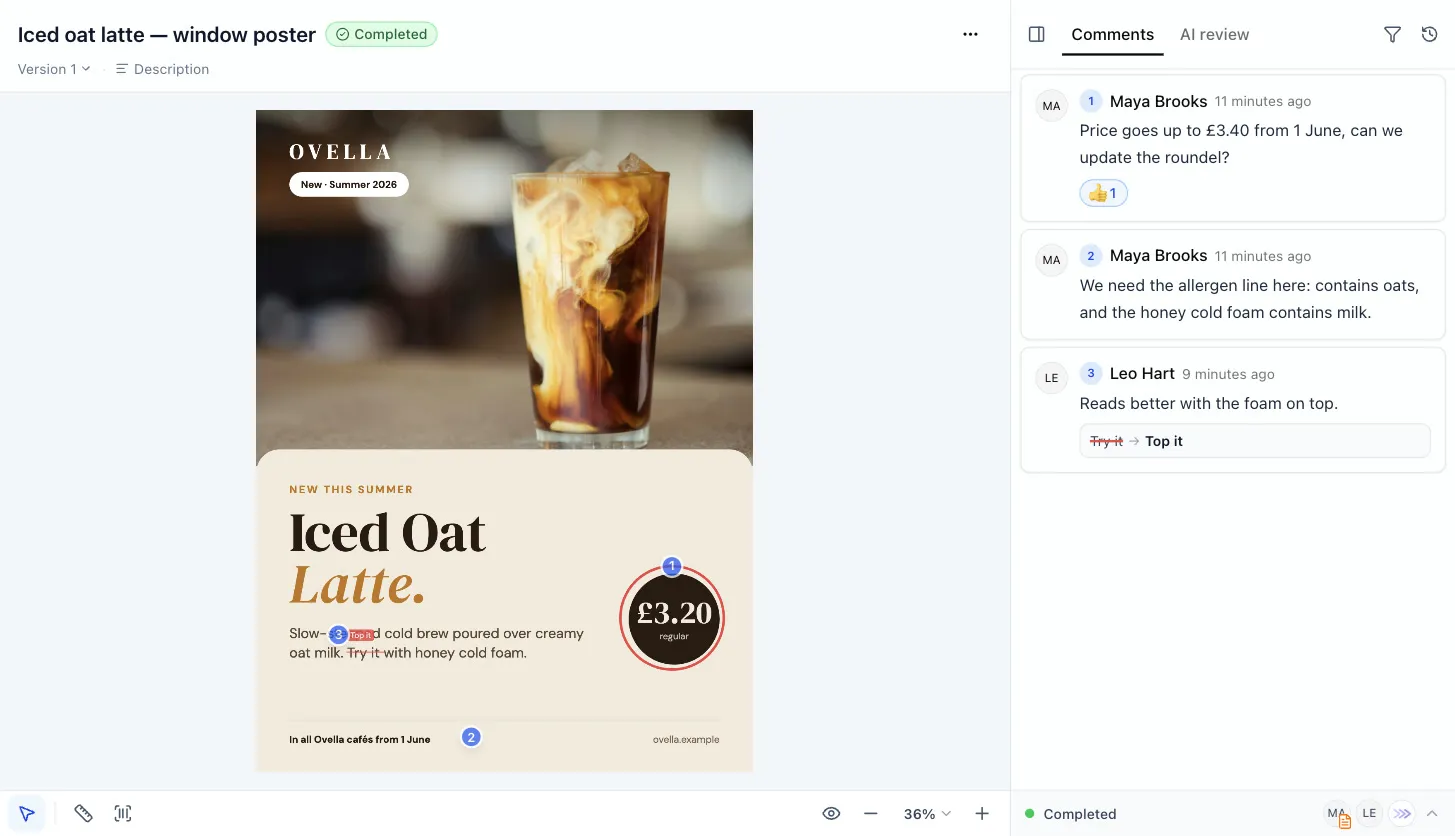
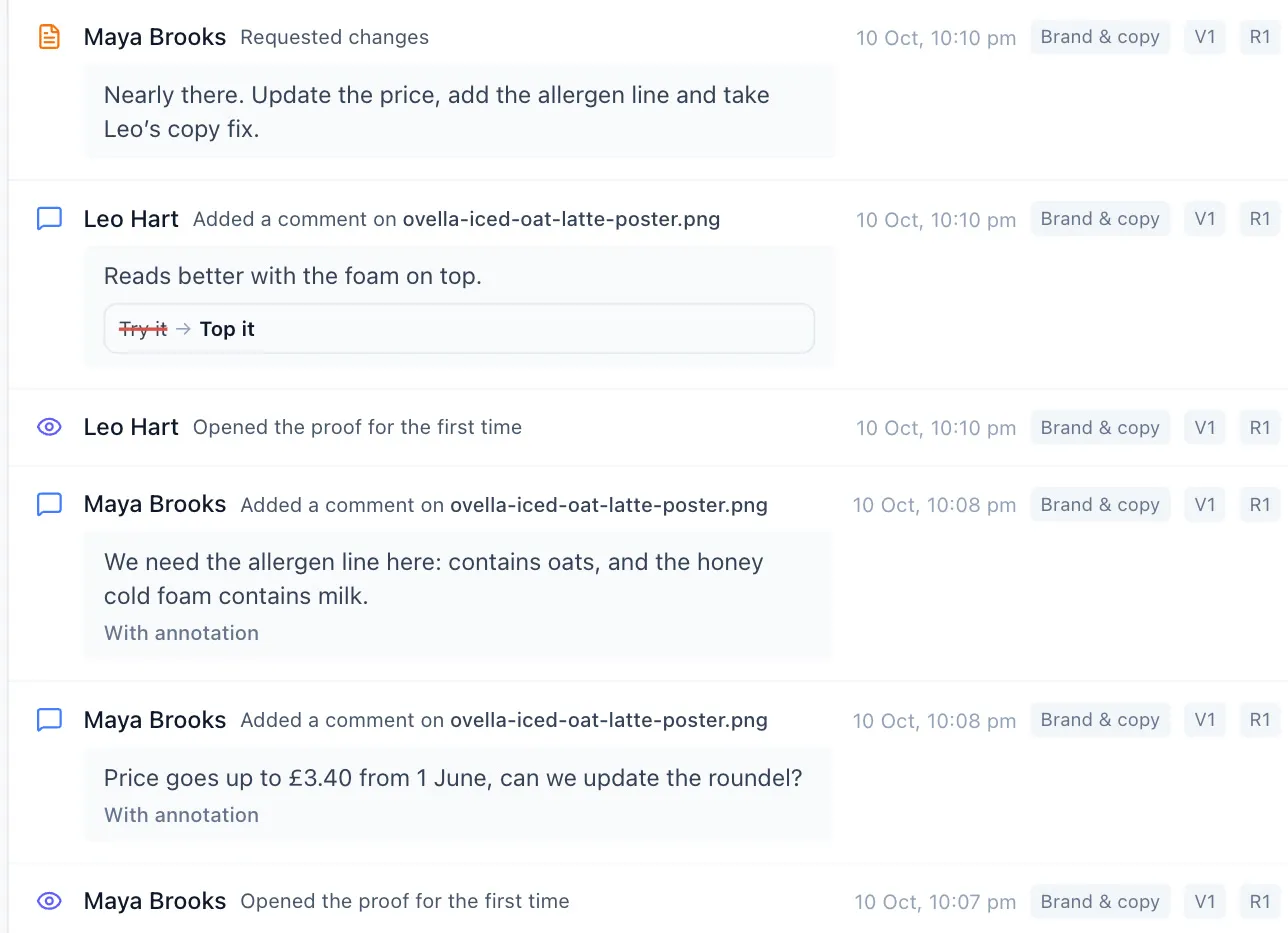
Maya asked for it on the first version:
“Price goes up to £3.40 from 1 June, can we update the roundel?”
A window poster for Ovella’s new iced oat latte went through brand, copy and the client. Here is how its audit log tells the story.
1. Brand & copy
Maya flags the price and a missing allergen line. Leo suggests a better phrase. Maya asks for changes, and every comment is saved with the version it was made on.

2. Brand & copy
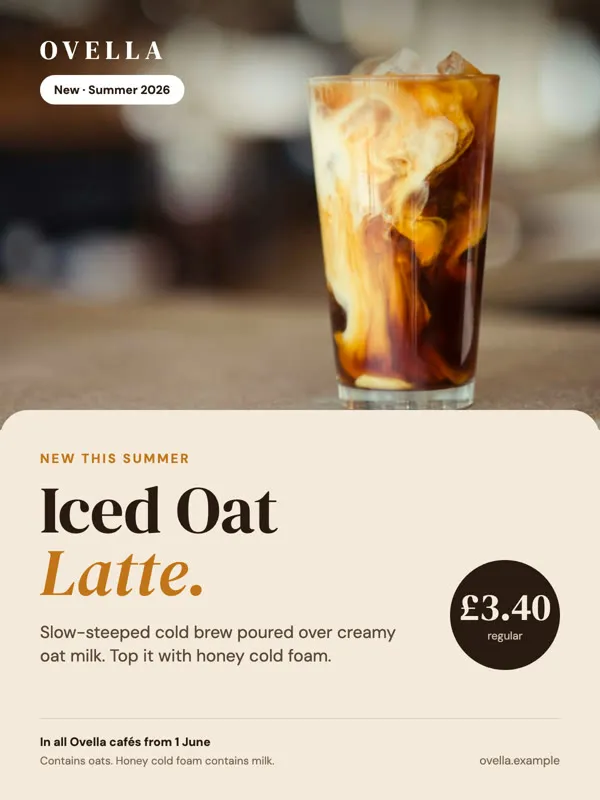
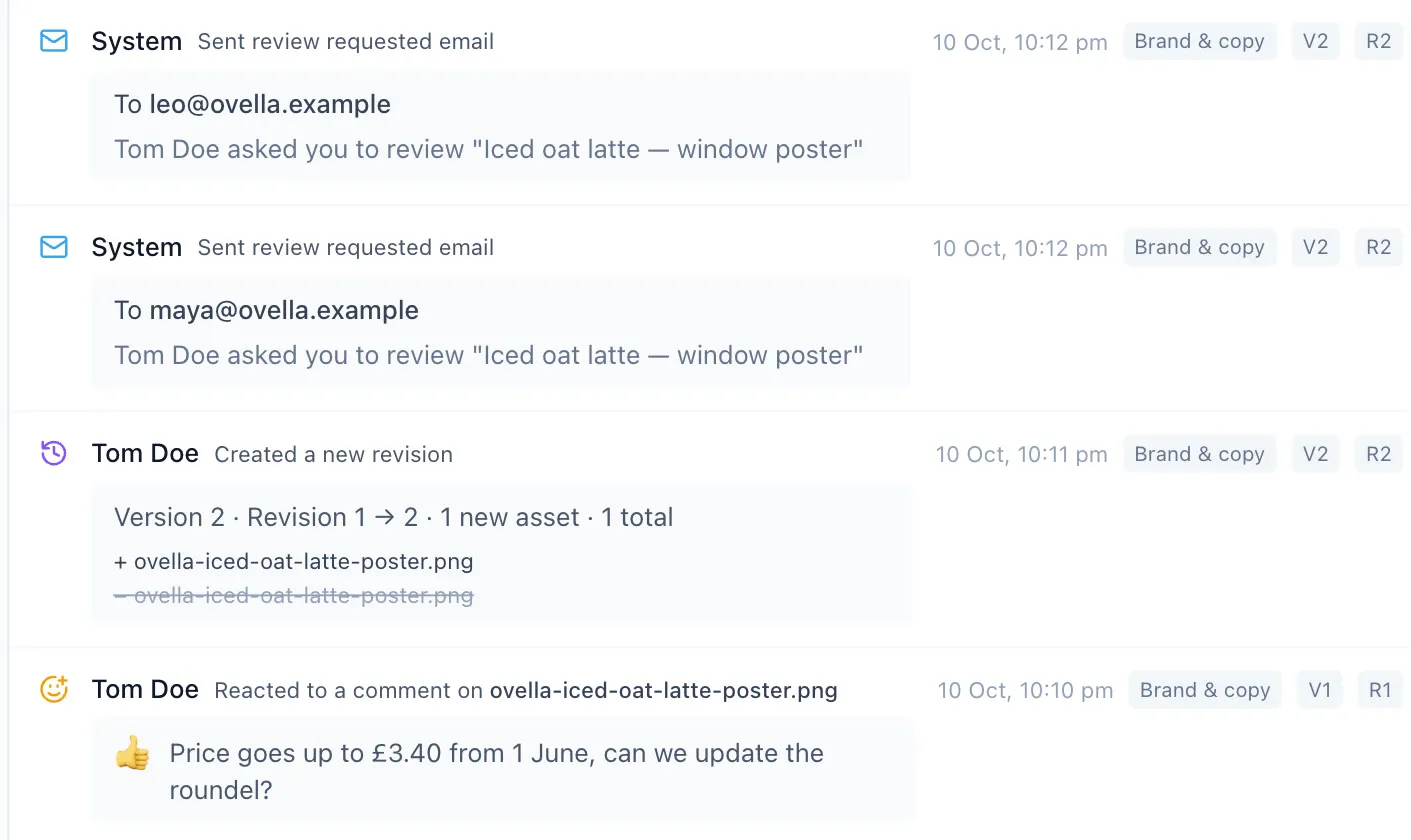
Tom uploads version 2. The reviewers get an email, and the log shows which file was replaced, so nobody wonders which poster they are looking at.
3. Client sign-off
Tom nudges Hannah. She opens the poster, corrects her own note and approves it. The proof is complete, with a full record of how it got there.
Approved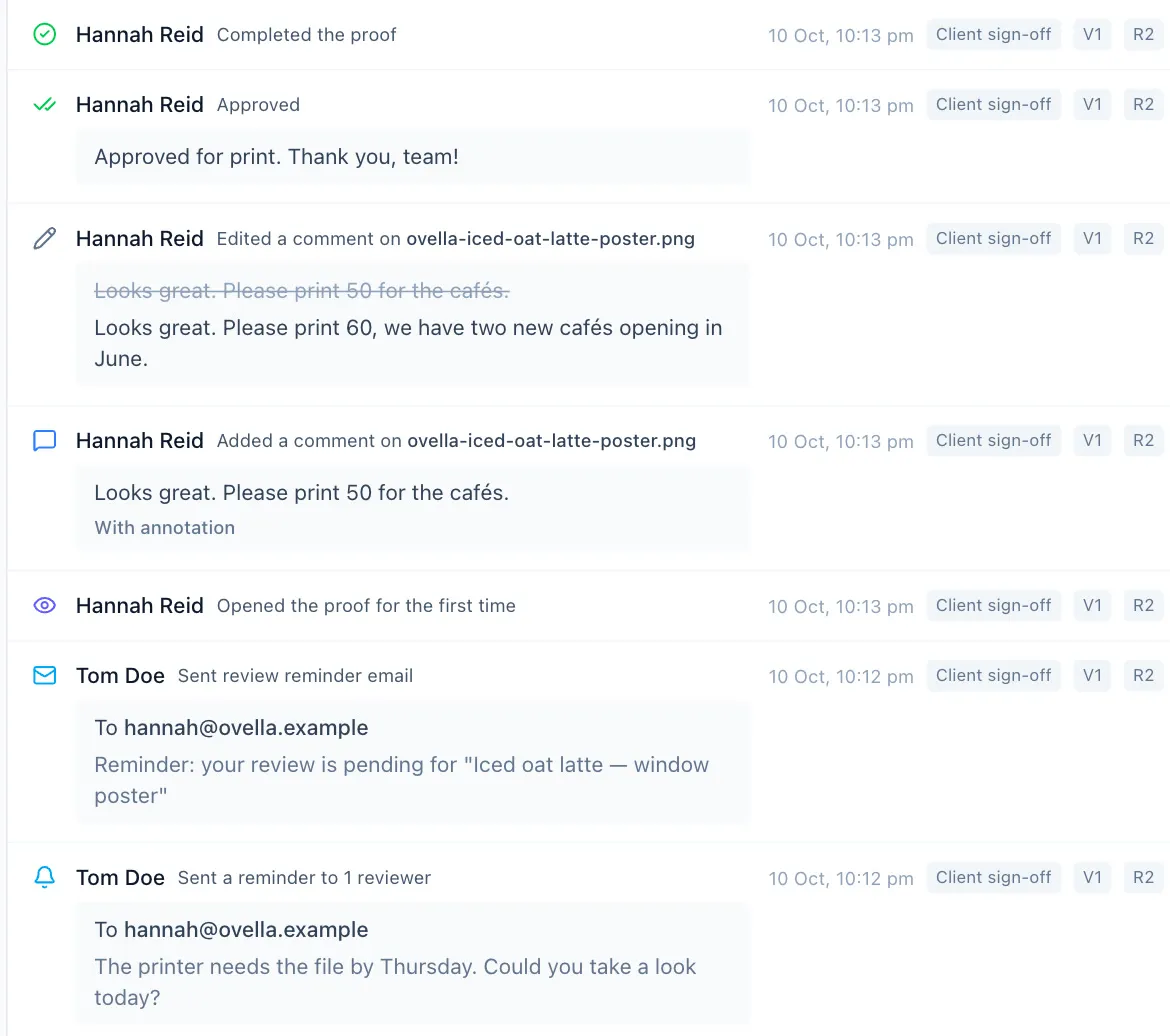
Nothing to switch on and nothing to fill in. ProofNow writes it all down as your team works.
Every yes and every “not yet”, with the reviewer’s note.
What was said, where on the file, and any copy changes suggested.
The original wording stays, crossed out, next to the new one.
When each version was uploaded and which files were added or replaced.
When a proof moved from one step to the next, and who moved it on.
Who was emailed, when, and the note sent with each reminder.
The first time each person opened the proof, so you know it was seen.
A new deadline, different reviewers or a renamed proof, before and after.
When an AI reviewer checked the work, and which of its notes were dismissed.
About AI reviewersEach entry shows the person, the time, the review step and the version it belongs to.
Nobody can edit or remove an entry, not even an admin. If something changes later, the log shows the change instead of hiding it.
Changed comments and decisions show the old wording next to the new.
Looks great. Please print 50 for the cafés.
Looks great. Please print 60, we have two new cafés opening in June.
Rename or remove a review step later and old entries still read as they did.
When someone approves a website, fresh screenshots are attached to their approval.
Export the whole history as a spreadsheet that opens in Excel or Google Sheets. Send it to a client, attach it to an invoice or keep it for your records.
Proof owners
The person who sent the proof for review.
Project owners
Everyone who runs the project the proof belongs to.
Organisation admins
The people who manage ProofNow for your team.
Reviewers and clients don’t see it. Open it from any proof in ProofNow or from the item view on your monday.com board.
| Time | Person | Activity | Step | Details | |
|---|---|---|---|---|---|
| 2 | 2026-10-10 20:13 | Hannah Reid | Completed the proof | Client sign-off | |
| 3 | 2026-10-10 20:13 | Hannah Reid | Approved | Client sign-off | Approved for print. Thank you, team! |
| 4 | 2026-10-10 20:13 | Hannah Reid | Edited a comment | Client sign-off | Looks great. Please print 50… → Looks great. Please print 60… |
| 5 | 2026-10-10 20:12 | Tom Doe | Sent a reminder to 1 reviewer | Client sign-off | To hannah@ovella.example · The printer needs the file by Thursday… |
| 6 | 2026-10-10 20:12 | Maya Brooks | Approved | Brand & copy | Price, allergens and copy all correct now. Approved. |
| 7 | 2026-10-10 20:11 | Tom Doe | Created a new revision | Brand & copy | Added ovella-iced-oat-latte-poster.png · Removed ovella-iced-oat-latte-poster.png · 1 total |
Add ProofNow to monday.com and every proof you send keeps its own history, from the first comment to the final sign-off.